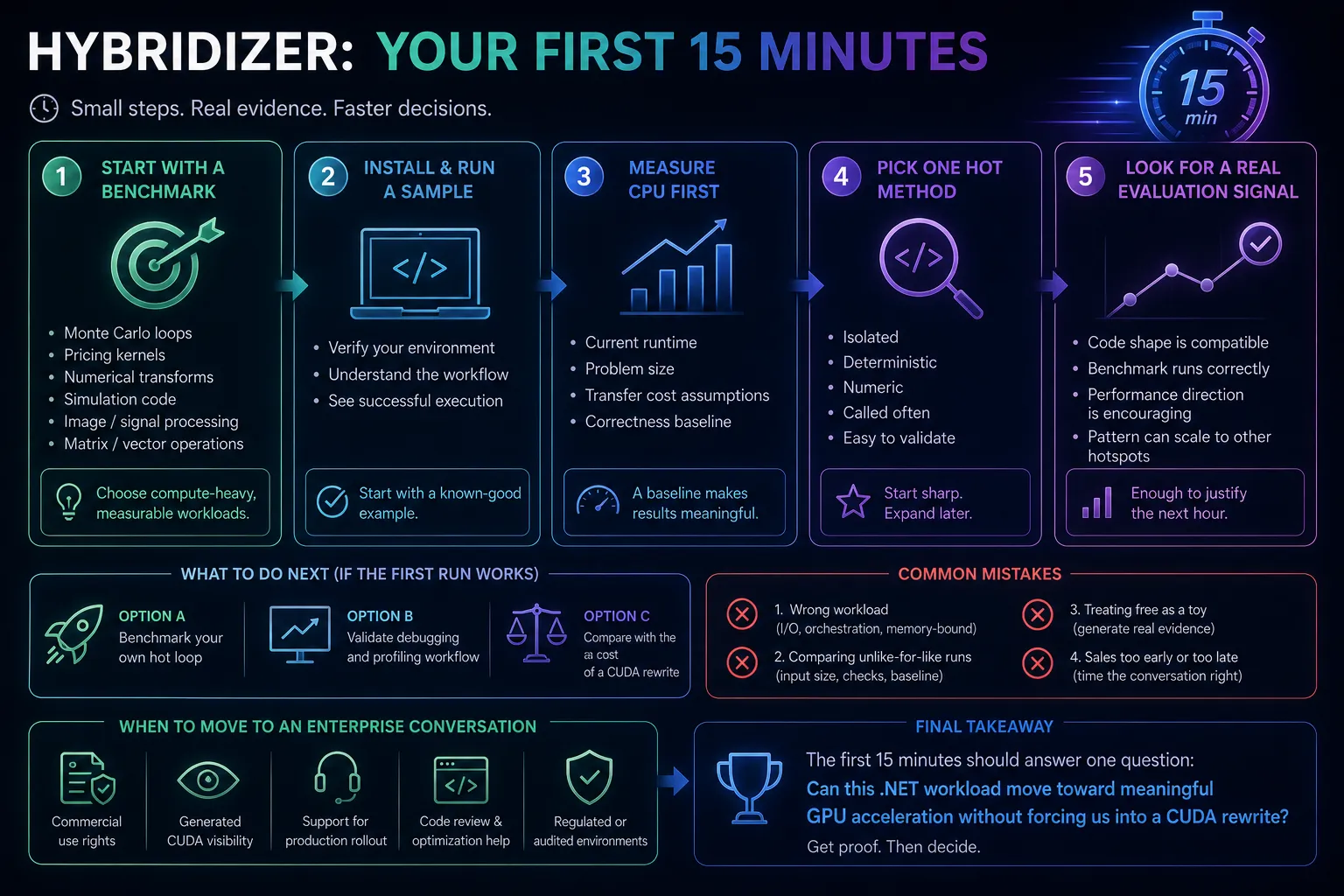
If you are evaluating GPU acceleration from a C# codebase, the first mistake is treating it like a months-long architecture project.
The right first step is much smaller: install Hybridizer, run a sample, benchmark one real hot path, and decide whether your workload is worth pushing further.
That is what your first 15 minutes should accomplish.
What success looks like
At the end of the first session, you want four things:
- Hybridizer installed in your normal .NET workflow
- one sample or benchmark running end-to-end
- a CPU baseline to compare against
- a short list of candidate methods in your own codebase
You do not need production architecture on day one. You need evidence.
Step 1: Start with a benchmark, not a product tour
The free edition is most useful when you treat it like a workload validation tool.
That means choosing something compute-heavy and measurable:
- Monte Carlo loops
- pricing kernels
- numerical transforms
- simulation code
- image or signal processing
- matrix or vector-heavy operations
Avoid using your first session on UI-heavy flows, orchestration code, or anything dominated by I/O.
Step 2: Install and run a known-good example
Use the direct install path from the download page, then run a known sample before touching your own code.
The purpose of the first sample is simple:
- verify your machine and tooling are configured correctly
- understand the developer workflow
- see what successful execution looks like
If you skip this and jump straight into your own code, you will struggle to separate product fit issues from environment issues.
Step 3: Measure CPU first
A GPU benchmark without a CPU baseline is just theater.
Before you offload anything, measure:
- current runtime
- batch size or problem size
- transfer cost assumptions
- correctness baseline
Even a rough measurement is enough for the first pass. The point is to know whether you are accelerating something meaningful.
Step 4: Pick one hot method, not a subsystem
The best first workload is a method that is:
- isolated
- deterministic
- numeric
- called often enough to matter
- easy to validate against current outputs
The worst first workload is a sprawling subsystem with mixed concerns, object-heavy state, and unclear performance ownership.
Hybridizer works best when you start with a sharp hotspot and expand only after you see a credible result.
Step 5: Look for a real evaluation signal
Your goal is not simply “the GPU ran.”
A good early signal usually looks like this:
- the code shape is compatible with the Hybridizer workflow
- the benchmark runs correctly
- the performance direction is encouraging
- your team can imagine applying the same pattern to adjacent hotspots
That is enough to justify the next hour.
What to test next if the first run works
Once you have a good first result, do one of these next:
Option A: benchmark your own hot loop
This is the fastest way to prove internal value.
Option B: validate debugging and profiling workflow
This matters if your team worries about visibility or maintenance.
Option C: compare the result with the cost of a CUDA rewrite
This matters if the alternative inside your company is “just build it in CUDA C++.”
Common mistakes in the first evaluation
1. Choosing the wrong workload
If the bottleneck is mostly memory movement, orchestration, or I/O, the GPU may not help enough to justify the effort.
2. Comparing unlike-for-like runs
Use the same input size, the same correctness checks, and a stable baseline.
3. Treating free as a toy
The free motion should be used to generate real evidence, not just to click through a demo.
4. Talking to sales too early or too late
You do not need a sales call before your first benchmark. But once the workload starts looking commercially meaningful, a production-readiness conversation saves time.
When to move from free evaluation to an Enterprise conversation
Most teams should consider Enterprise when they need one or more of the following:
- commercial use rights
- generated CUDA visibility
- support for a production rollout
- code review and optimization help
- confidence in regulated or audited environments
That is the point where the discussion shifts from “can this work?” to “how do we deploy it safely and efficiently?”
Final takeaway
The first 15 minutes with Hybridizer should not be about understanding every feature. They should be about answering one concrete question:
Can this .NET workload move toward meaningful GPU acceleration without forcing us into a CUDA rewrite?
If the answer starts to look like yes, you already have the only thing that matters early in the funnel: proof.
Ready to try it?
- Start free: /download/
- Talk about production rollout: /contact/